Your companies and company access
My Companies is the list of the companies you administer. From it you open one company to edit its details, manage its team members, or connect it to an event as the organizer.
The list shows only the companies you own or moderate. A company somebody else created appears here for you only after you join it, and companies you are not a member of are never listed — no matter how many exist on the platform.
Everyone with an account can open this page.
No role, no paid package and no existing event are required. The list is simply empty until you create a company.
Where it sits in the navigation
The Companies entry in the left sidebar appears only once you manage at least one company. What it looks like depends on how many:
| Companies you manage | Sidebar entry | Where it leads |
|---|---|---|
| None | No Companies entry at all | — |
| Exactly one | The entry is named after that company, not Companies | Straight to that company's page, skipping the list |
| Two or more | Companies | The My Companies list at /en/dashboard/companies |
So a single-company account rarely sees this list at all — its sidebar entry goes straight past it. With two or more companies, the entry appears and opens the list. Either way the list is always reachable at /en/dashboard/companies, and from Back to companies on any company page.
Starting with nothing
With no company yet there is no sidebar entry, so the fastest way in is the Add Company button next to Add Event in the header of All Events, at /en/dashboard/events. It opens the same Add Company dialog this page uses.
The list
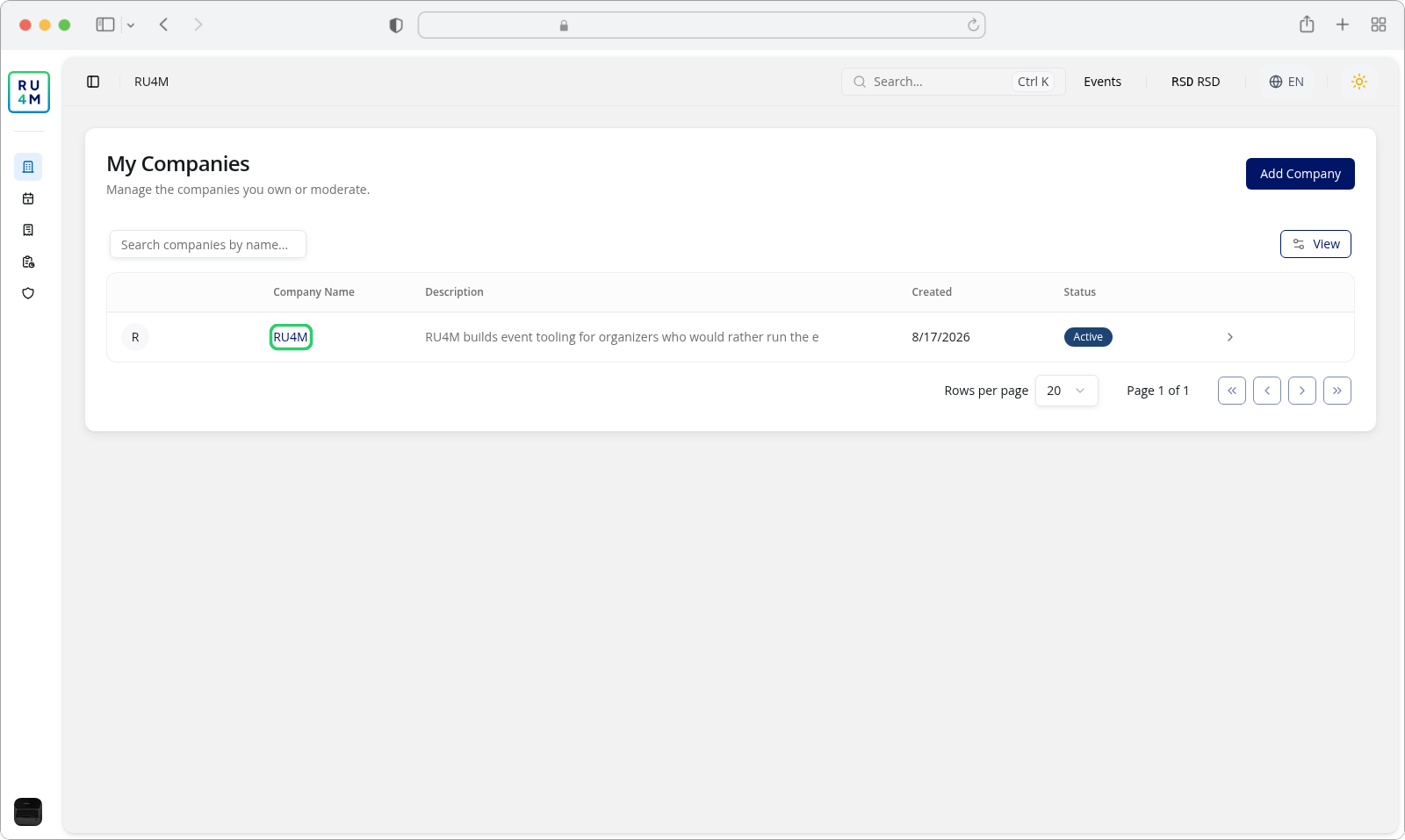
The page is one card titled My Companies, with the line Manage the companies you own or moderate. under the title and Add Company at the right. Each row carries:
| Column | What it holds |
|---|---|
| Logo | The company's uploaded logo. Without one, the first letter of its name on a plain circle. |
| Company Name | A link — clicking it opens that company. |
| Description | The company's own description, or — when it has none. |
| Created | The date the company was created, in your language's date format. |
| Status | Always Active. Every company on this list is active; the column exists for consistency with the other management tables. |
The rightmost cell is an icon button whose accessible name is Manage company. It leads to the same company page as the name link — use whichever you prefer.
Companies appear in the order the service returns them, and there is no column sorting: the headers are not clickable. Twenty companies fit on one page; beyond that, the pagination control at the bottom of the table moves through them.
Searching
The search field above the table is labelled Search by name and filters the list on the company name as you type.
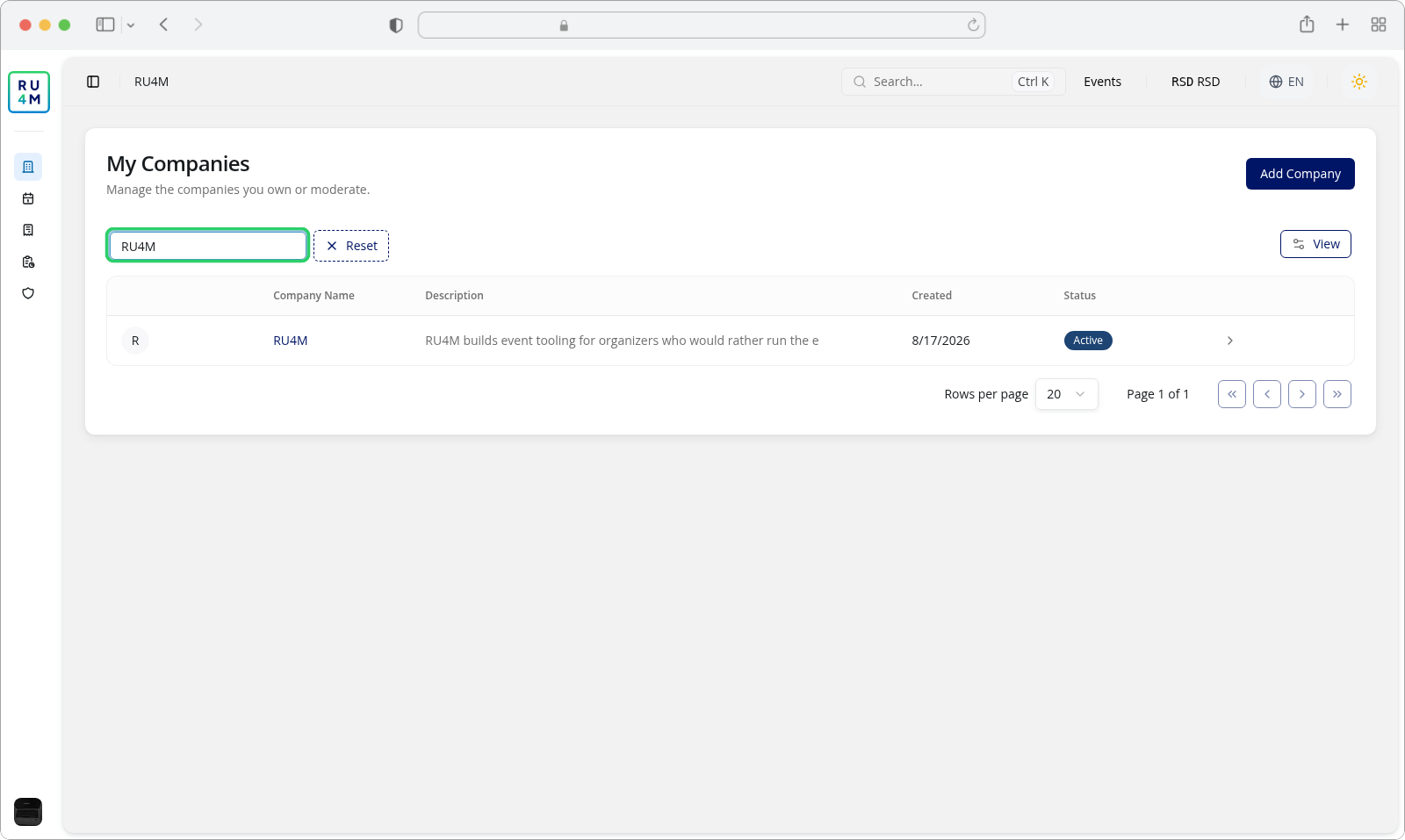
Two things are worth knowing:
- The search is a server-side filter, not a local one. It covers every company you manage, not just the twenty on the current page.
- Only the first 100 characters of what you type are used, and surrounding spaces are ignored. Longer input is trimmed rather than rejected.
While a search is active, a Reset button appears next to the field and clears it, returning the full list.
The empty state
Before you create your first company, the table is replaced by a panel reading No managed companies yet, with the explanation Create your first company profile so you can manage your organization, members, and event organizer details from one place. and a single Add Company button.
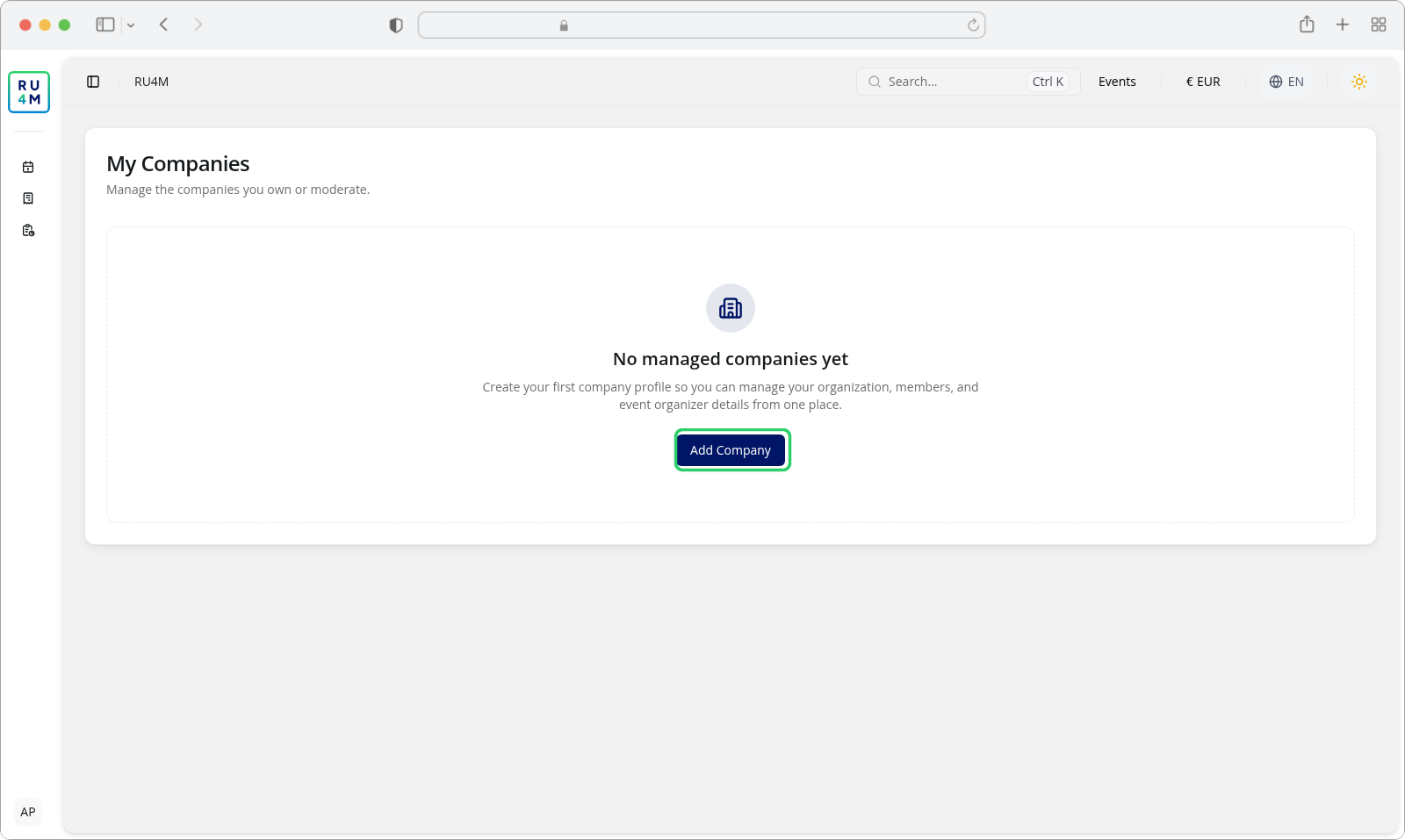
The page header's own Add Company button is not shown in this state — the one inside the empty panel is the single entry point, and it opens the same dialog.
Once a company exists, that button moves up into the page header, to the right of the title, and the table replaces the empty panel.
A search that matches nothing is a different screen
Clearing your last company to reproduce the empty state changes what the Companies sidebar entry does — it disappears, since you no longer manage anything. And a search that matches no company does not show the empty panel: the search keeps the page in its table form, with the header's Add Company button and no rows, so you can clear the search and try another name.
If something goes wrong
| What you see | What it means | What to do |
|---|---|---|
| Your companies could not be loaded. with Try again | The list request failed. Nothing about your companies changed. | Press Try again; if it repeats, the service is having trouble and your companies are still there. |
| The Companies entry is missing from the sidebar | You do not own or moderate any company. | Nothing is broken — create one with Add Company, and the entry appears. |
| A company you created is not listed | You were removed from it, or it was deleted. | Look for it as a link to the company page; a deleted company cannot be restored. |
| A company you moderate is missing from the list | Moderation rights for it were taken away. | Ask whoever administers it to restore your role. |